Updating The Model
Read the database again after it changes, choose what to add or remove, and sync the new code.
On this page
Updating The Model#
Your database changes over time: tables and columns are added, renamed or dropped, keys and procedures change. When it does, update the model so the generated code matches the database again. Update the model too when you want to add objects to it or take objects out of it.
Open your model file in The Sharp Factory App, go to the Models page, choose the model in the Model list at the top and click Update.
Connection#
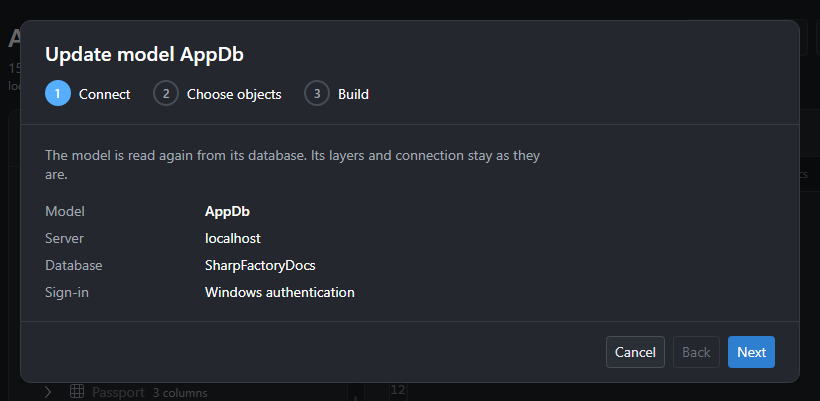
The first step shows the connection the model was built with: its name, server, database, user and whether integrated security is used. The model is read again from that database. Its layers and its connection stay as they are.
Click Next to connect and read the database. If the server cannot be reached, the reason is shown next to the buttons.
Choose Objects#
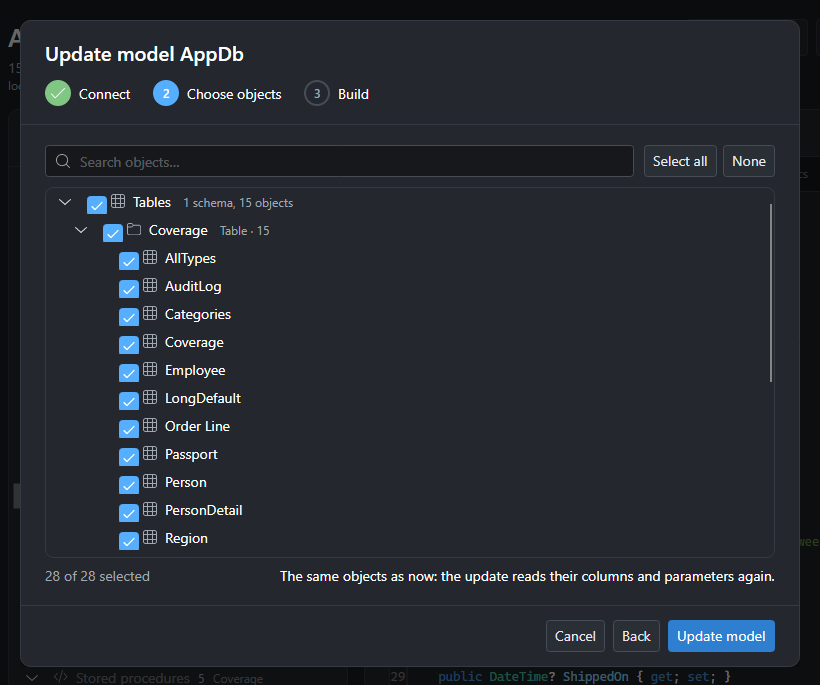
The objects in the database are listed as when the model was created, and the ones the model already has are selected.
-
Check new tables, views, stored procedures, functions or sequences to add them to the model.
-
Uncheck objects to take them out of the model.
-
Objects that were dropped from the database are no longer listed, so they leave the model.
Click Update model.
Rebuild#
The model is built again from the database, the same way it was built when you added it: columns and their types, primary and unique keys, foreign keys and navigation properties, stored procedure parameters and result columns, function parameters and return types. A progress report stays on screen until you click Done.
Use test databases: to discover the result columns of a stored procedure, reading a model may have to run the procedure.
Save And Sync#
The updated model is not saved yet: a dot after the file name in the title bar shows there are unsaved changes. Click Save, then go to Sync and sync to your solution.
-
Click Preview first to see every file that would be added, changed or deleted, with a diff of each.
-
Sync only writes the files whose content changed, and deletes the generated files of objects that are no longer in the model. Files you added to the generated projects yourself are never touched.
-
Build your solution. Code that uses a column, table or procedure that changed or is gone no longer compiles, so the compiler shows you every place to fix.
See Model Generation for the Sync options.